MAIN DEMO Simple Websites with ChatGPT Canvas & GitHub Pages
It's surprisingly simple and free to create websites with AI and deploy them on GitHub Pages. No coding experience required.
Course Materials & Video Demonstrations
thegraphcourses.org
Week Focus: Create professional content with AI-powered tools. Learn to build websites, generate documents, and design presentations using AI assistance.
It's surprisingly simple and free to create websites with AI and deploy them on GitHub Pages. No coding experience required.
LaTeX creates beautiful academic papers, CVs, posters and reports, but it's hard to learn. AI can write LaTeX for you, and Overleaf makes it easy to use online.

Everyone keeps asking "where is ChatGPT for PowerPoint?" Gamma is the best "ChatGPT for PowerPoint" available right now.
Week Focus: Automate data analysis tasks using AI-powered coding assistants. Learn to process data, create visualizations, and generate insights without manual coding.
With the right prompts, you can automate data analysis tasks using an AI-powered IDE Cursor. The AI writes code, runs it on your data, observes output and errors, then updates based on mistakes.
ChatGPT can run code to generate simple data analyses. Great for quick data exploration and simple visualizations.
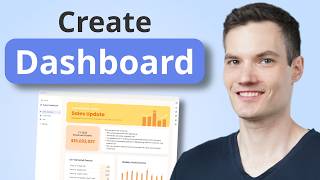
TheBricks.com lets you use natural-language prompts to manipulate spreadsheets and build simple dashboards without writing formulas.
Week Focus: Use AI for text processing and research tasks. Learn to classify text, analyze sentiment, summarize documents, and conduct research using AI tools.
Using LLMs in a loop lets you automate lots of text-processing tasks, and spreadsheets are a great way to do this. Learn to integrate OpenRouter with Google Sheets for scalable text analysis.

Let AI do the googling for you. ChatGPT's deep-research mode will search the web repeatedly and compile comprehensive reports on any topic.

Elicit lets you search academic literature and get AI-powered summaries of research papers, making literature reviews much faster.
Week Focus: Build custom AI assistants and chatbots. Learn to create specialized AI tools for your organization and deploy interactive chatbots for various use cases.
Botpress is one of the most mature yet easiest-to-use platforms for building bots with modern LLMs. Build a simple bot and embed it on your website.
Custom GPTs in ChatGPT let you build internal AI assistants with custom knowledge bases and instructions. Great for team-specific tasks.

Upload documents to Google's NotebookLM and query them like a database. It can even turn documents into podcast-style audio.
Week Focus: Traditional automation gets much more powerful with AI in the mix. Learn to set up recurring AI tasks and build intelligent automation systems that can make decisions and handle complex work.
The simplest way into AI automation: ask your chatbot to run a prompt on a schedule. Daily news briefings, weekly research digests and recurring reminders all run on their own. Pick whichever of ChatGPT, Claude or Gemini you already use.
Make.com is a popular workflow-automation platform with affordable pricing and a decent free plan. Takes some getting used to, but it's a valuable skill when you need to connect several apps.

Explore real-world example use cases and see how different organizations use Make.com for their automation needs.
Serif.ai listens to short voice notes and wakes you up to an organised inbox: replies drafted, follow-ups sent, meetings scheduled.
Week Focus: Use AI to create and edit visual content. Learn to generate and edit images with Canva AI, create SVG graphics with LLMs, and bring those graphics into PowerPoint for further editing.
Canva now has powerful AI image generation built in. Create professional graphics, social media visuals, and more with simple text prompts.
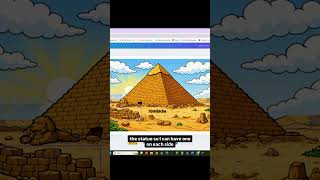
Canva's Magic Layers splits a flat image into separate, editable layers, so you can move objects around, tweak photos and add text boxes after the fact.
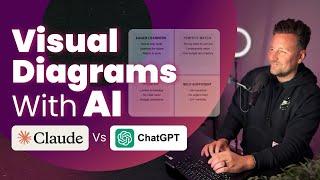
LLMs like Claude can generate professional SVG diagrams and graphics from simple descriptions. SVGs scale to any size without losing quality, which makes them perfect for presentations and marketing.
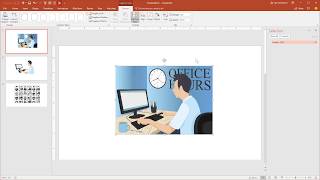
Once you have an SVG from AI, you can import it into PowerPoint and convert it to editable shapes. Customize colors, text, and layout without needing Illustrator.